A display made for your screen
Your Mac creates a Retina display in the exact shape of your device, so nothing is letterboxed, scaled or cut off. Rotate or fold and it reshapes.
For iPhone Duo, iPhone and iPad
Duotop puts your Mac on your iPhone Duo, iPhone or iPad, on a display made for that screen. Stand a Duo half open and it becomes a tiny MacBook: the Mac above the fold, a keyboard and trackpad below.
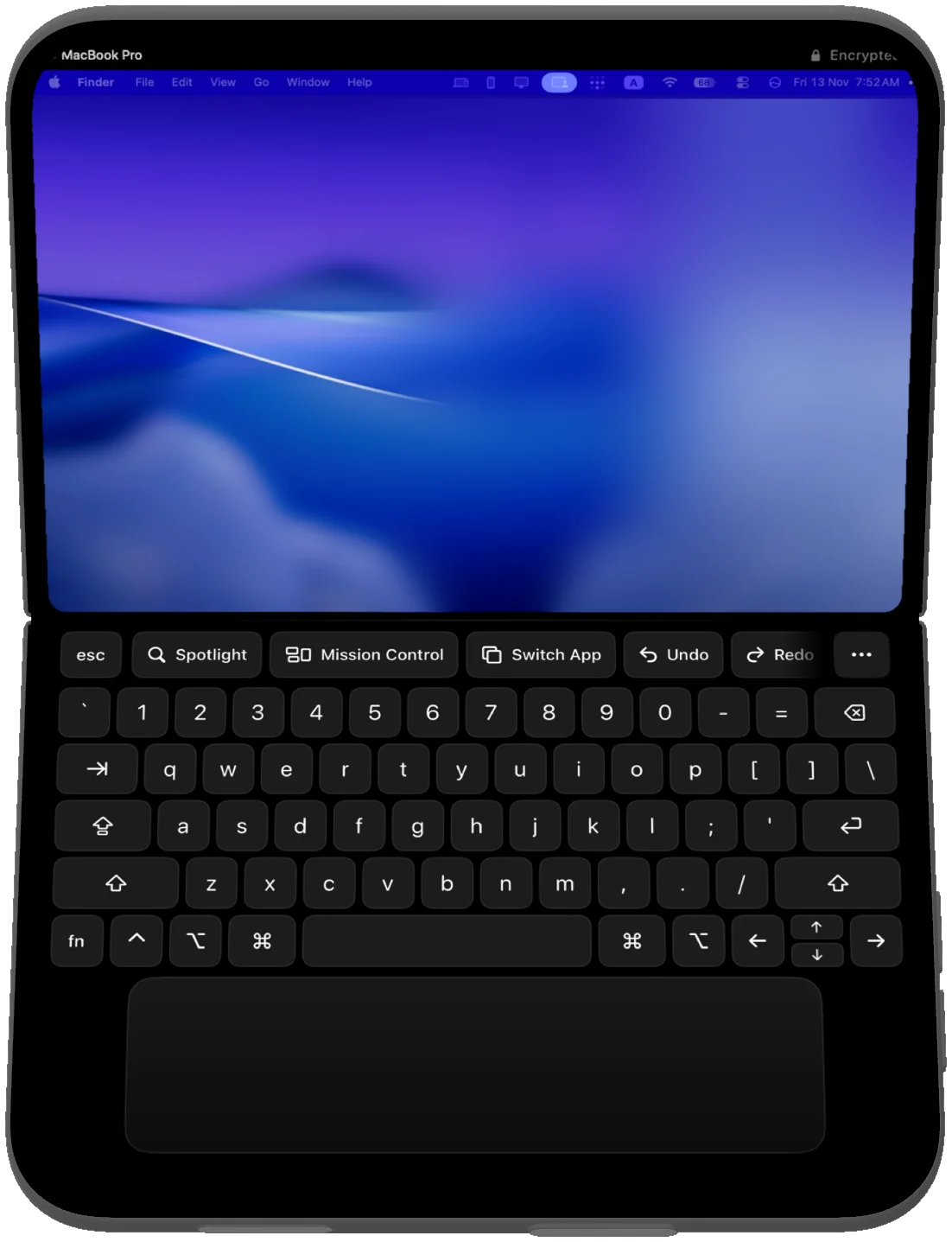
Three postures
Duotop asks your Mac for a display in the shape your device is in right now. Fold it, open it or turn it and the Mac reshapes to match.
Stand your Duo half open and the Mac moves above the fold. Below it sit a Mac keyboard, a row of app keys and a trackpad.
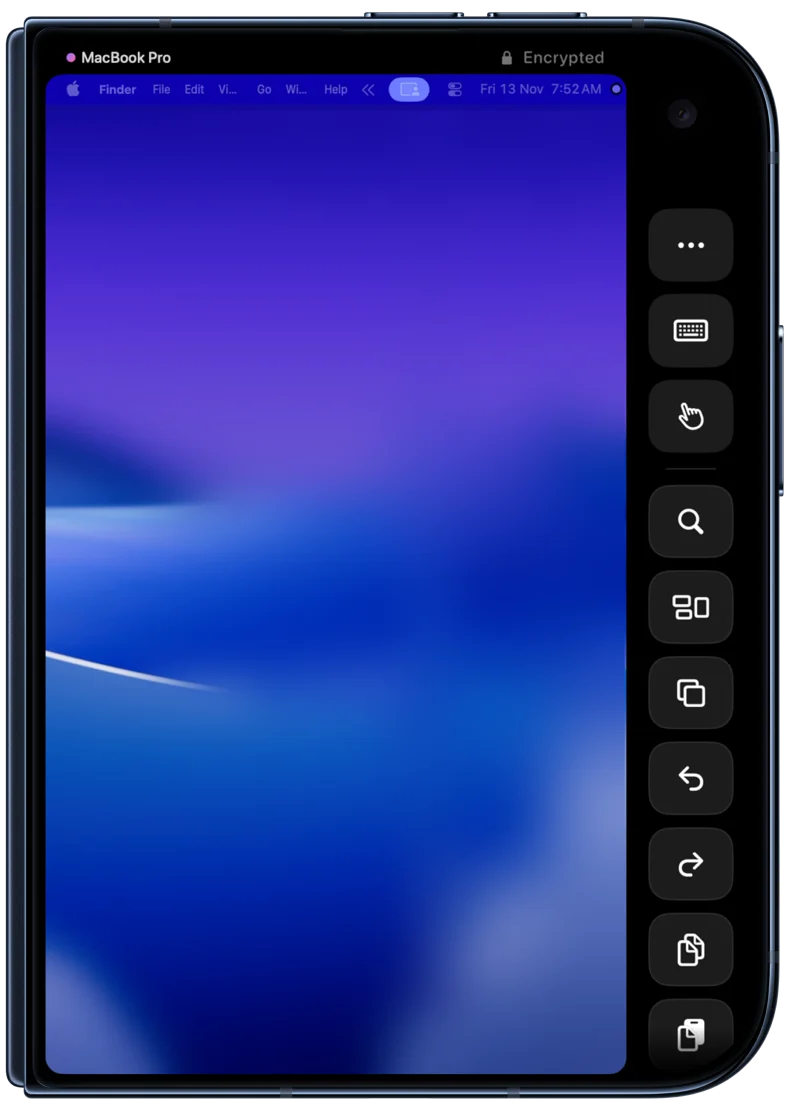
Closed, the Mac fills the outer display. The controls sit in the strip beside the camera, outside the picture, so they never cover your work.
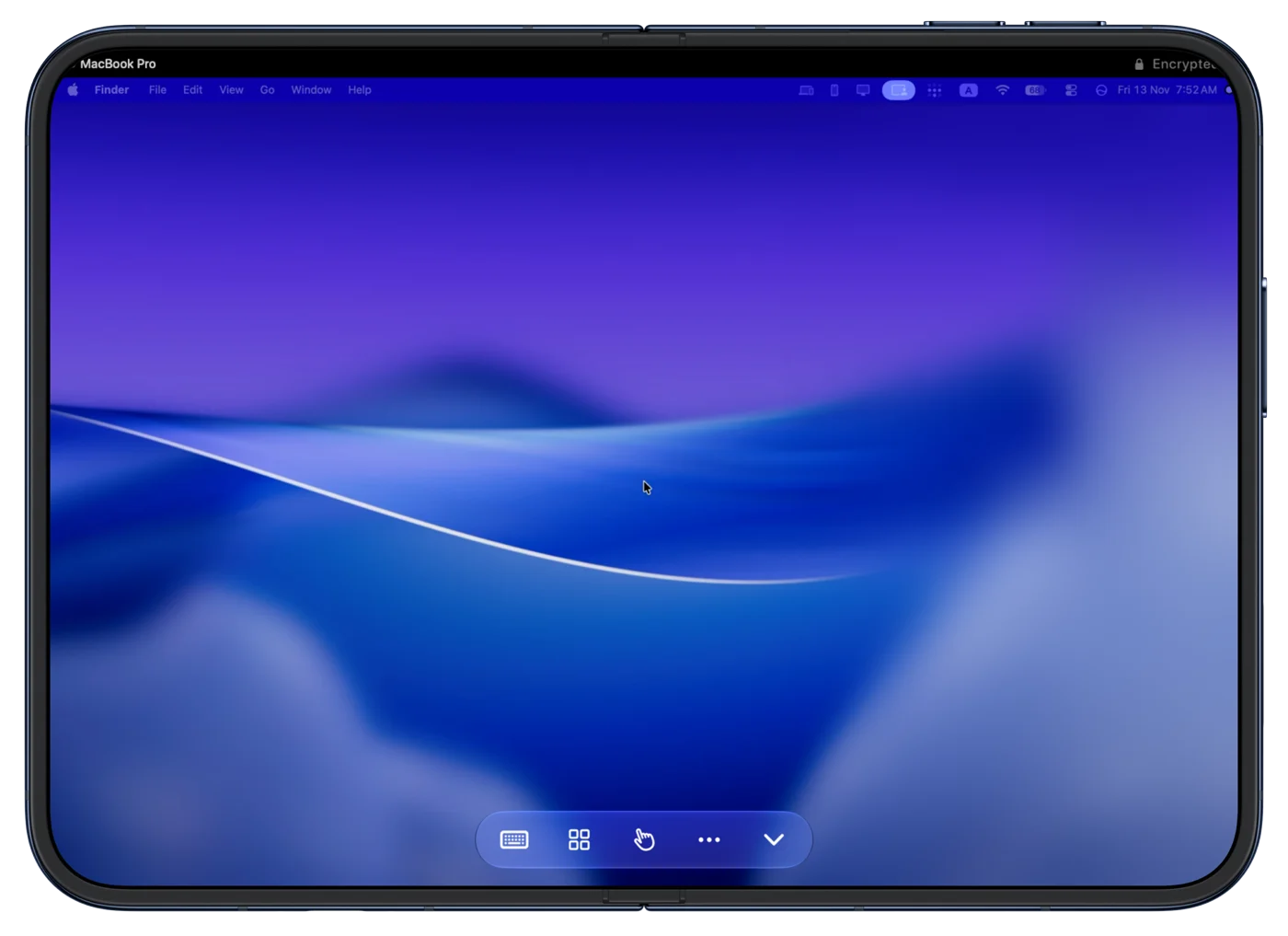
Open the Duo flat and the Mac fills the inner display edge to edge. A small bar brings up the keyboard, app keys and pointer when you need them, and tucks away when you do not.
Features
Everything here is in the free version unless it says Pro.
Your Mac creates a Retina display in the exact shape of your device, so nothing is letterboxed, scaled or cut off. Rotate or fold and it reshapes.
60 frames per second for free, up to 120 with Pro. Pick Sharp for text and code, Smooth for motion, or Fast to use the least data.
Command, Option, Control, arrows and function keys, with a trackpad below. It follows the text field you are typing in.
Spotlight, Mission Control, Switch App, Undo and more in one tap. The row changes with the app in front: tabs in a browser, Stop and Clear in a terminal.
What your Mac plays comes out of your iPhone or iPad during a session.
Copy text on the Mac and it is on your device. Paste from iPhone drops what you copied on your phone into the Mac.
Pair once with six digits. After that every session uses fresh keys, and only devices you paired can see your Mac.
There is nothing to sign up for. On your own network your Mac and your device talk to each other directly. Away from it, Duotop's relay only passes encrypted data it cannot read.
Whole Mac Here brings every window to your device. Second Display keeps your Mac's own screen and adds your device beside it.
Agents
Duotop for Mac can give an agent such as Claude Code a way to see the screen, click and type, through an endpoint that only exists on that Mac. It is off until you turn it on.
claude mcp add --transport http duotop http://127.0.0.1:47911/mcpHow it works
It lives in the menu bar. The first run asks for two permissions: Screen Recording, to send the picture and sound, and Accessibility, so your taps and keys reach your apps.
Your Mac appears as soon as both are on the same Wi-Fi. Allow Local Network when iOS asks, so the app can find it.
Choose Pair a Device on the Mac and type the code it shows. You do this once per device.
Pricing
Everything on your own Wi-Fi is free. Pro takes your Mac further.
$0
No time limit, no ads, no account.
Pro is bought inside the iPhone and iPad app through Apple. Prices are in US dollars and may differ by country. Subscriptions renew until cancelled in your Apple account settings.
Questions
Duotop is two apps that work together: a free menu bar app for your Mac and an app for iPhone and iPad. Together they put your Mac on your phone or tablet, on a display the Mac creates to fit that screen exactly, with a Mac keyboard and trackpad when you want them.
An iPhone Duo, any iPhone, or an iPad running iOS 26 or iPadOS 26, and a Mac running macOS 26. The folding layouts are for the iPhone Duo. On other iPhones and iPads the Mac fills the screen and the keyboard and trackpad slide in when you call them.
Yes. One Mac on the same Wi-Fi at 60 frames per second, with every layout, the keyboard, trackpad, app keys, sound and clipboard. There is no time limit, there are no ads and you do not make an account.
Up to 120 frames per second, opening your Mac from anywhere on any connection with nothing to set up, and as many Macs as you like. Pro is $3.99 a month, $24.99 a year with 7 days free, or $49.99 once.
On the same network, over Tailscale or by a typed address, your Mac and your device connect directly and nothing passes through us. With Pro, on any other connection, the stream goes through Duotop's relay server. Either way it is encrypted end to end with keys your two devices exchanged when you paired them, so the relay only passes data it cannot read: it cannot see your screen, sound, typing or clipboard. There is no account.
Choose Pair a Device in Duotop on your Mac and it shows six digits. Type them on your iPhone or iPad. A wrong guess replaces the code, and five wrong guesses in a row close pairing for a minute. After pairing, each side recognises the other by a stored key, so you only do this once per device.
With Pro, yes, on any connection and with nothing to set up. Your Mac has to be on, awake and running Duotop with Reach from anywhere switched on, which it is by default. The connection goes through Duotop's relay, which only passes encrypted data it cannot read. If you use Tailscale or type your Mac's address, Duotop connects to it directly instead.
If you turn agent tools on in the Mac menu bar, an agent such as Claude Code running on that Mac can see the screen, click, scroll and type through a local endpoint. Your device shows a banner and a glowing rim while it works. Touch the picture or press a key and the agent is paused until you tap Resume. Duotop asks on the Mac before an agent uses a terminal or a password field.
To make a display that fits your device exactly, Duotop uses a part of macOS that Mac App Store apps are not allowed to use. So Duotop for Mac is a direct download, signed with an Apple Developer ID and notarized by Apple.
Now. The iPhone and iPad app is on the App Store, and Duotop for Mac can be downloaded from the Duotop for Mac page.

You need both apps: one on your Mac, one on your iPhone or iPad. Both are ready: the Mac app is a direct download, and the iPhone and iPad app is on the App Store.
Duotop for Mac 1.2, 3.0 MB, setup steps. Requires iOS 26 or iPadOS 26, and macOS 26.